← All verticalsCoffee shop POS
Know what every cup actually costs you.
Walk in Monday already knowing last week's real margin — not a number you reconcile when the supplier invoice lands. Every latte you ring deducts the right beans, milk, and cup automatically, so the books reflect what you actually poured. Recipe-driven depletion, multi-store transfers, and offline mode — on every plan.
$29 / store / monthMulti-store on every planWorks offline5-minute setup
What's in the Coffee starter
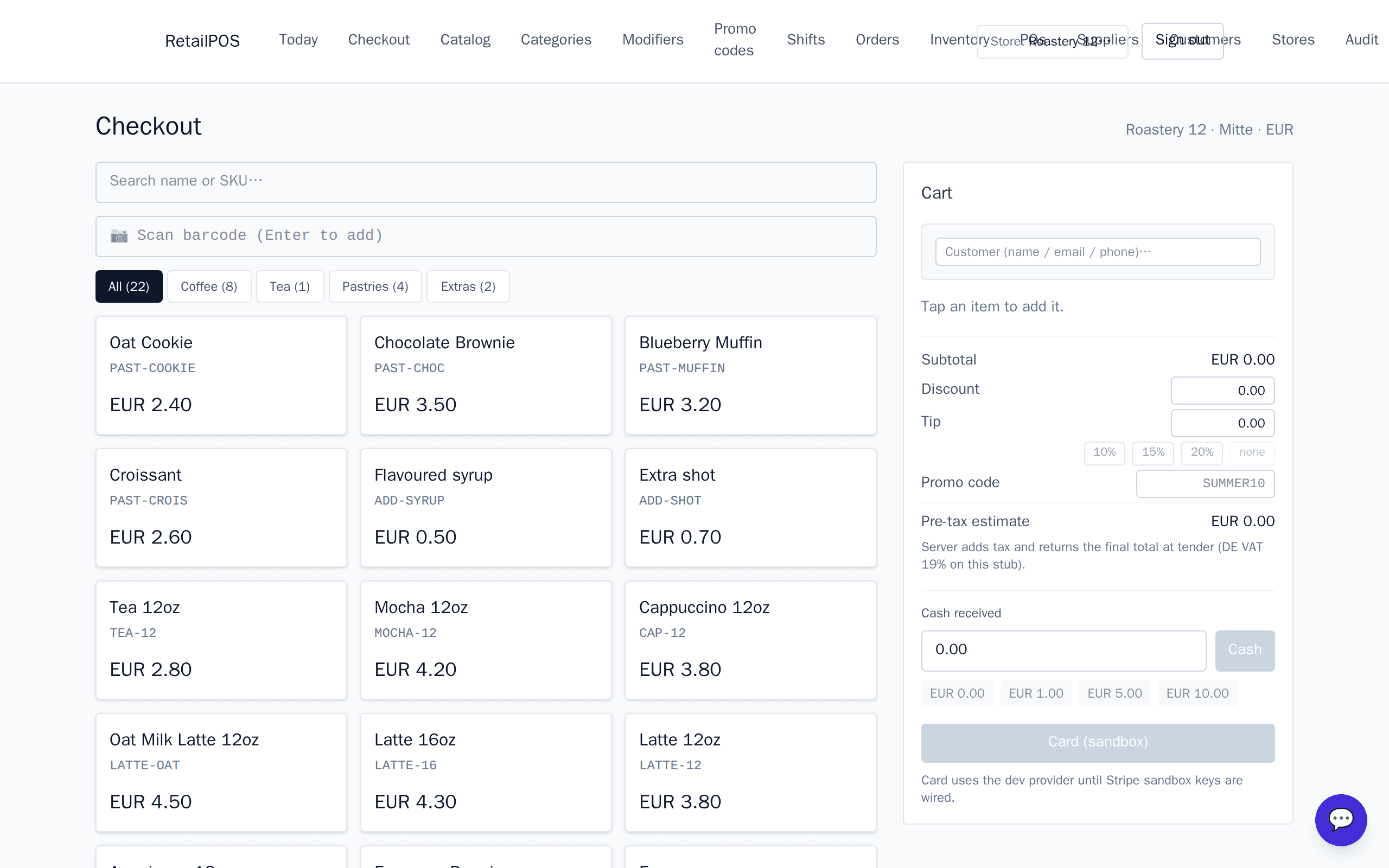
- •4 categories: Coffee, Tea, Pastries, Extras.
- •15 drinks and items: Espresso, Doppio, Americano, Latte 12oz / 16oz, Oat Latte, Cappuccino, Mocha, Tea, plus add-a-shot, add-a-syrup, and four pastries on the counter.
- •7 ingredients pre-loaded: beans (20 kg), milk (30 L), oat milk (10 L), syrup (3 L), 12oz cups (500), 16oz cups (500), tea bags (400).
- •Selling each drink takes the right amount of beans, milk, and cups off automatically. Pastries are just stocked.
Behind the counter
Sell 1 Latte 12oz for $3.80 — and on stock:
- beans −18 g
- milk −300 ml
- 12oz cup −1
If a regular's attached, they earn 4 loyalty points. Refund the drink? Stock comes back, points reverse.
Where cheaper POS gives up — and how we close it
| If you're currently on… | What this pack closes for you |
|---|---|
| Square for Restaurants ($60/mo) | No recipe-based inventory at any plan level. Square knows you sold a latte; it doesn't know what went into it. Bean reorder is still “I think we're low.” |
| Toast (~$69/mo + processing) | Built for full-service restaurants. The KDS + course-fire features you don't need; the recipe-driven coffee depletion you do need isn't there. |
| Clover | Locked to First Data processing. Quoted at $80–$150/mo plus per-transaction fees and the hardware lease. Recipes via a third-party app, billed extra. |
- vs Square for Restaurants ($60/mo)No recipe-based inventory at any plan level. Square knows you sold a latte; it doesn't know what went into it. Bean reorder is still “I think we're low.”
- vs Toast (~$69/mo + processing)Built for full-service restaurants. The KDS + course-fire features you don't need; the recipe-driven coffee depletion you do need isn't there.
- vs CloverLocked to First Data processing. Quoted at $80–$150/mo plus per-transaction fees and the hardware lease. Recipes via a third-party app, billed extra.
Moving from Square or Toast?
- →Your items + customer list import straight from a CSV export — both Square and Toast give you one. Two clicks, ten minutes.
- →Recipes don't exist on Square or Toast, so we set them up the first time you ring each drink. Most shops do it in an evening.
- →Historical sales stay on the old system — they're yours to keep. Today's first sale on RetailPOS is a clean slate, with margin numbers that finally make sense.
- →Your Star printer and Honeywell scanner work as-is; bring-your-own-Stripe card acceptance is rolling out.
Frequently asked questions
- How long does it take to set up the recipes for our menu?
- An evening. The starter pack ships eight drinks already wired (espresso, latte 12oz / 16oz, oat latte, cappuccino, mocha, tea, americano) — those are live the moment you sign up. Your house specials get rung the first time you make them; we save the recipe as you go.
- Does it work with my Stripe Reader / Star printer?
- Your Star TSP143IIIBI Bluetooth printer pairs with the iPad till today; same for an Epson TM-m30, with cash drawers driven by the printer's drawer port. Bring-your-own-Stripe card acceptance — keeping your existing Stripe account and Reader M2 / M3 — is rolling out.
- What about offline — what if the WiFi drops mid-rush?
- The till keeps ringing. Sales queue locally; when the connection comes back they sync — no duplicates, no manual reconciliation. Included on every plan, not an upgrade.
- We have two shops — can the owner see both at once?
- Yes, and it's the standard pricing tier ($69/shop/month on Pro). One dashboard rolls up sales, stock, and end-of-day across every location. Move beans from one shop to the other in one tap.
- What if we outgrow it — can we export everything?
- One click in Settings → download every customer, every order, every receipt as a single JSON file. Your data is yours either way; we don't hold it hostage.
Recommended hardware
- •Receipt printer: Star TSP143IIIBI (Bluetooth) — pairs with iPad or laptop.
- •Scanner: Honeywell Voyager 1450G (USB) — reads pastry-display barcodes too.
- •Card terminal: Stripe Reader M2 (bring-your-own Stripe; card acceptance rolling out) — wired or BLE.
- •Cash drawer: any 24V drawer driven by the Star printer's drawer port.
New to this vertical? Read the coffee shop buyer guide →
See your real margin on the first sale.
No card. Real tenant. Real recipes loaded.