Set up the Bakery pack
For Bakery owners · 5 min read · Last reviewed 2026-08-04
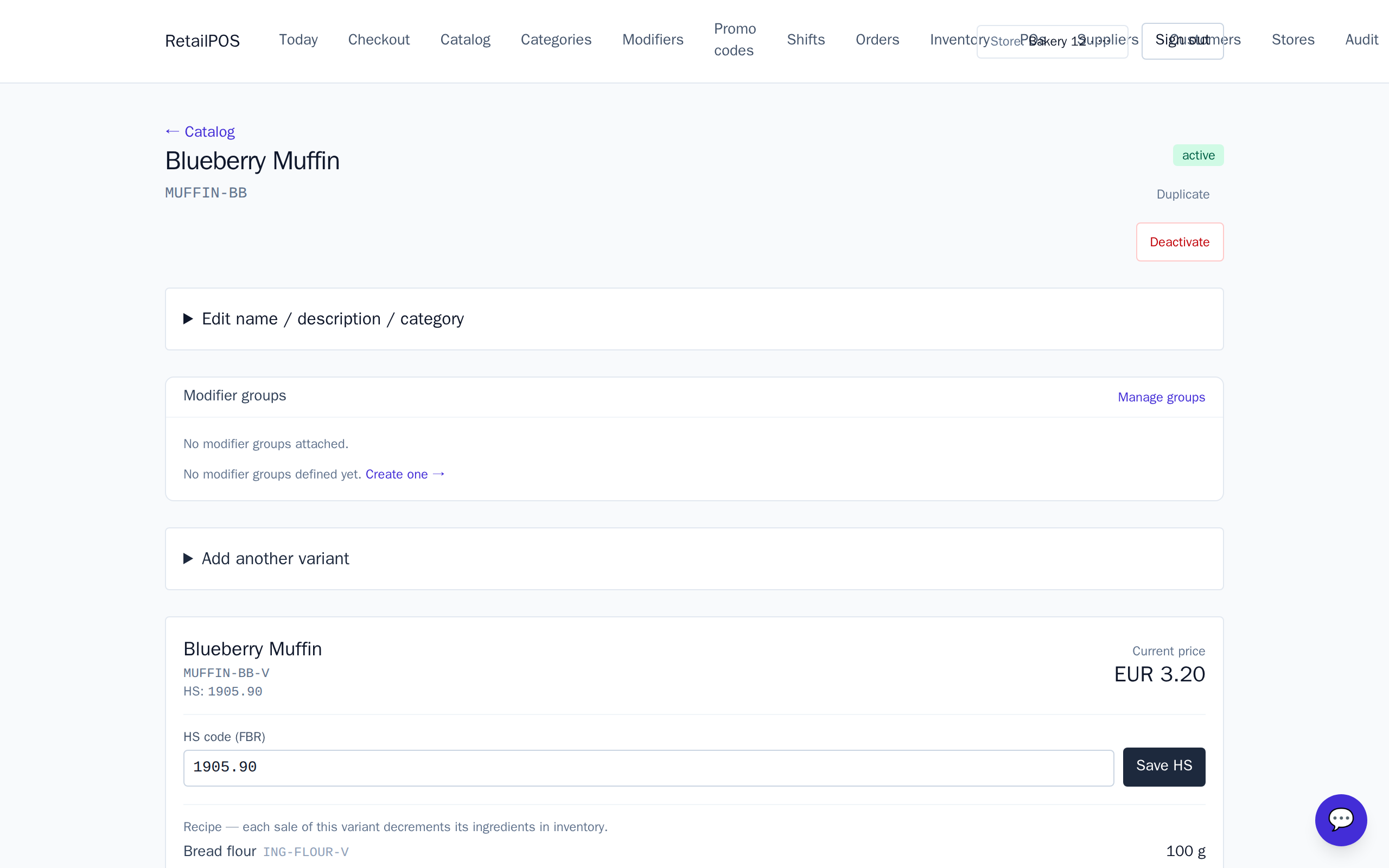
A bakery’s margin is set in the back room, not at the till: how many croissants you get out of a sack of flour. The Bakery pack sets up a menu of breads, pastries and cakes where every item carries a recipe, so selling a croissant draws down flour, butter, sugar and yeast — not “croissants.”
It comes ready with by-the-dozen pricing, a loaf sold by weight, cake decorating add-ons and a breakfast deal, so you can rename the samples to your own menu and start selling.
What to set up next
- Recipes & ingredient inventory — items that draw down flour, butter and eggs.
- Selling by weight & by the dozen — a loaf priced per kg and cheaper-per-unit tiers.
- Cakes & decorating add-ons — whole cakes with candles, gift box and iced messages.
Frequently asked
- Do I need to stock finished pastries?
- No. Finished baked items aren’t stocked — only their ingredients are. Selling a croissant decrements flour, butter, sugar and yeast, so you count what you actually buy and store.
- What currency does the pack use?
- The bakery pack seeds in euros. You can change items and prices to your own currency after installing.
Put it into practice.
Open your shop and try it live. Free until your first 100 sales — no card, keep your hardware.