Set up the Toys pack
For Toy shop owners · 5 min read · Last reviewed 2026-08-04
A toy shop lives and dies by the fourth quarter, and the counter that copes fine in March is the one that jams the Saturday before Christmas. The Toys pack sets up a curated retail catalogue built for a toy-shop floor plan, so you can scan, sell and gift-wrap from day one rather than building categories from scratch.
It’s a direct-stock catalogue — no recipes, no ingredients — the closest cousin to the plain retail pack, but seeded with the categories and sample lines a toy shop actually carries. Rename the samples to your own range and you’re ready to sell.
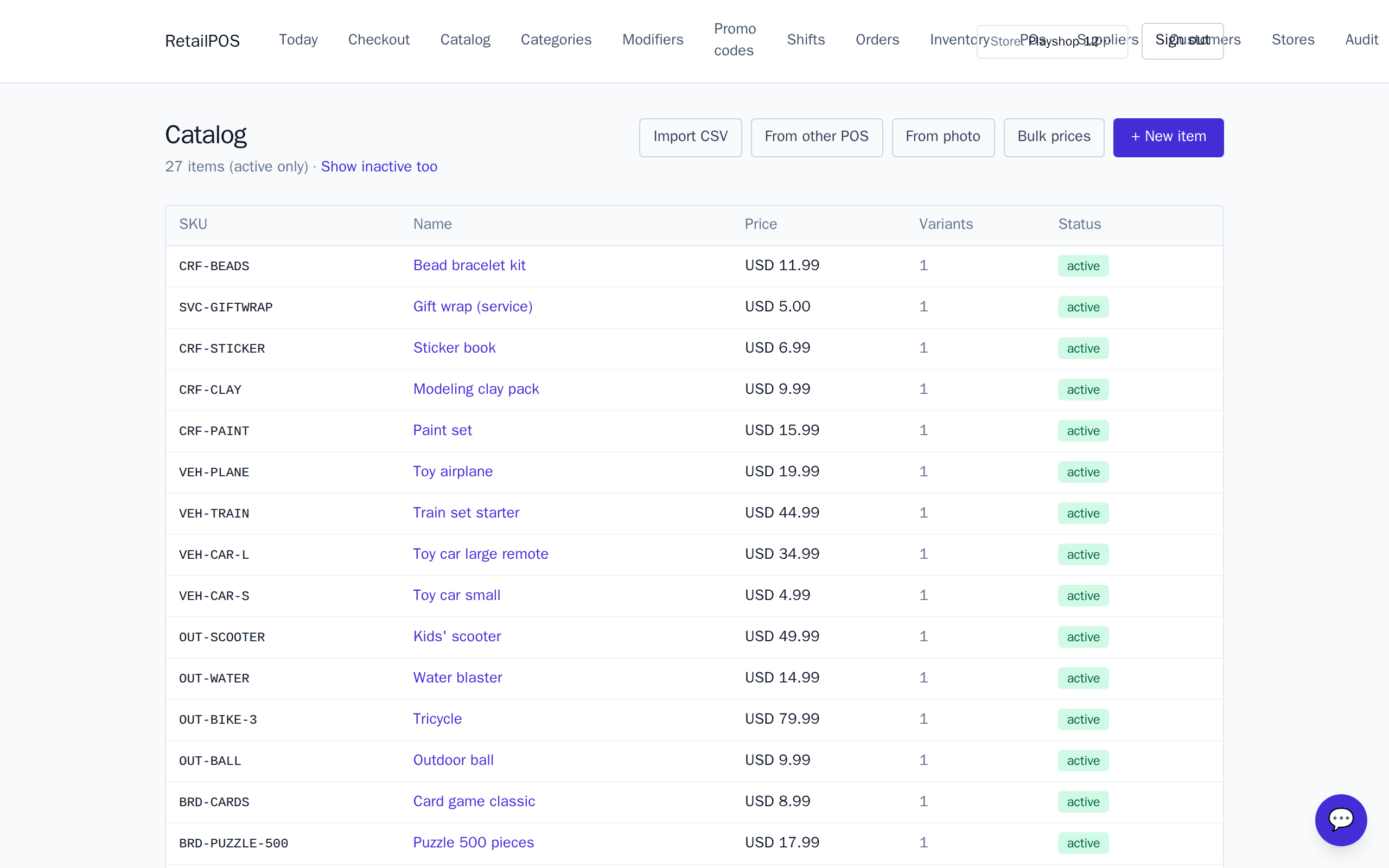
Install and shape your catalogue
- Install the Toys pack on a fresh store.
- It seeds six categories — Building & STEM, Plush & dolls, Board games, Outdoor & sport, Vehicles & track and Crafts.
- Rename the sample lines to your own range, set your prices, and add or remove categories to match your shop.
Scan barcodes at the till
Give each product its barcode and the till finds it on a scan. This is the one thing that has to be fast at the December counter, so getting barcodes onto your lines early pays off through the rush. See catalogue & barcodes for the full walk-through.
What to set up next
- Catalogue & barcodes — tidy the seeded lines and scan at the till.
- Gift receipts & gift wrap — hide prices for the receiver and add the wrap service.
- Combos & bundles — the Game Night deal and how to build your own.
Frequently asked
- Does the toys pack use recipes like the coffee pack?
- No. Toys is a direct-stock retail catalogue — each product is stocked and sold on its own, with no ingredients or bills of materials.
- Can I change the seeded categories?
- Yes. The six categories are just a starting point — rename them, reorder them, or add your own to match how your shop is laid out.
Related articles
Put it into practice.
Open your shop and try it live. Free until your first 100 sales — no card, keep your hardware.