Recipes and ingredient inventory
For Café owners & managers · 6 min read · Last reviewed 2026-08-04
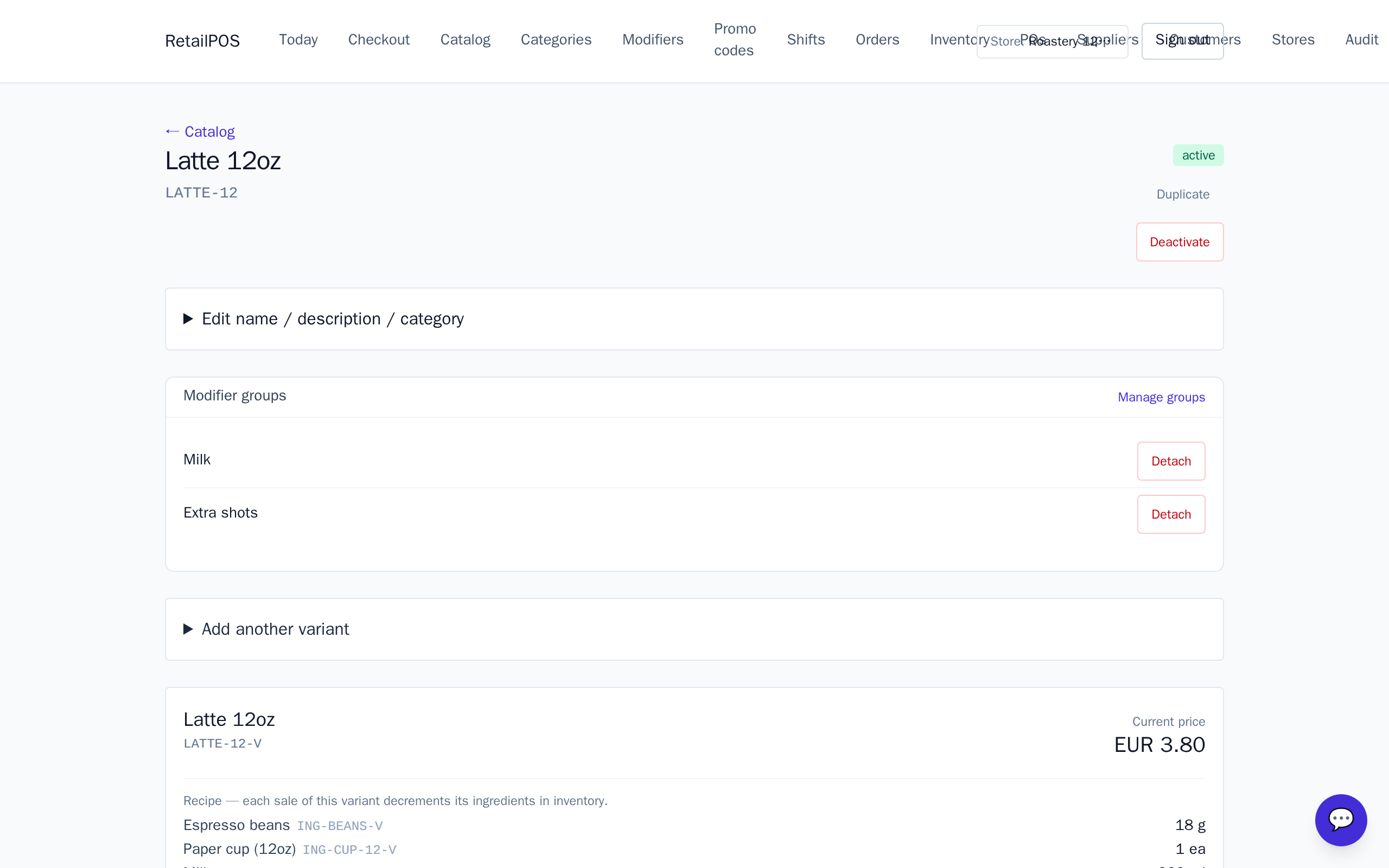
You don’t stock “lattes” — you stock beans, milk and cups. A recipe (bill of materials) tells RetailPOS what a drink consumes, so every sale decrements the real ingredients and your stock reflects the store room, not the menu.
Stock your ingredients
First, add your raw ingredients as stocked items — beans, each milk, syrups, cups — with on-hand quantities in the units you buy them in. These are what recipes draw from.
Give a drink a recipe
- Open the drink in the Catalog.
- Add its recipe: each ingredient and how much of it the drink uses.
- Do this per size — a large uses more milk than a small.
Tip:A modifier can carry ingredients too: “oat milk” swaps which milk the recipe pulls, so your oat stock moves when someone orders it.
Watch ingredient stock move
From then on, selling drinks quietly runs down beans and milk. Set low-stock thresholds on ingredients so you reorder beans before you run dry mid-rush.
Frequently asked
- Do I count finished drinks or ingredients?
- Ingredients. Recipes decrement beans, milk and cups when a drink sells, so you track what you actually buy and store.
- Can different sizes use different amounts?
- Yes. Give each size its own recipe so a large draws more milk than a small.
Put it into practice.
Open your shop and try it live. Free until your first 100 sales — no card, keep your hardware.