Set up the Electronics pack
For Shop owners · 5 min read · Last reviewed 2026-08-04
An electronics shop sells two very different things from one counter: high-ticket devices that each need their own identity — the exact phone, the exact laptop — and a wall of accessories that sell by the dozen. The Electronics pack sets both up: per-unit serial and IMEI tracking on devices, ordinary stock counts on cables and cases.
It also seeds the service lines that keep customers coming back — extended warranties, screen and battery repairs, setup and data transfer — so a whole shop is priced and ready on day one, not weeks of data entry later.
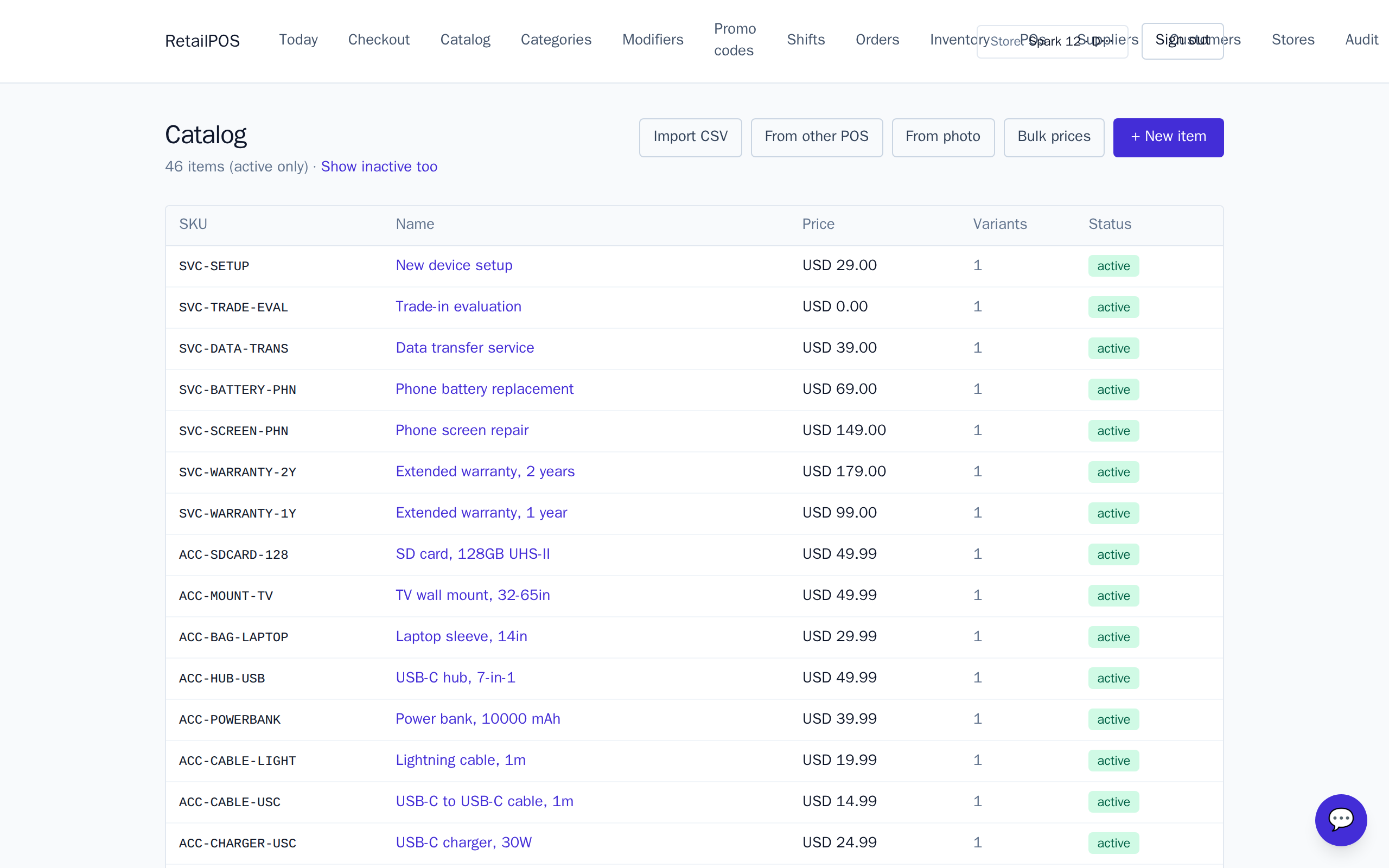
Install and rename the catalogue
- Install the Electronics pack on a fresh store.
- The catalogue arrives sorted into Phones, Tablets, Laptops, TVs & displays, Audio, Cameras, Accessories and Repair & care.
- Rename the sample devices to the brands and models you actually carry, and set your prices.
Devices come pre-marked as serial tracked, and accessories under about $100 stay on plain stock counts — the same way you buy and sell them.
What to set up next
- Serial & IMEI tracking — give every device its own unit record.
- Extended warranties — attach a 1- or 2-year plan at checkout.
- Accessories & bundles — the Phone Starter Kit and reflex attach.
Frequently asked
- Does the pack come priced?
- Yes. Every device, accessory and service arrives with a sample price you can adjust. Rename to your line-up and set your own prices before you open the till.
- Which items are tracked by serial?
- Phones, tablets, laptops, TVs and monitors, cameras and lenses, and premium audio are serial / IMEI tracked. Small accessories stay on ordinary stock counts.
Put it into practice.
Open your shop and try it live. Free until your first 100 sales — no card, keep your hardware.