Expiry tracking and FEFO lots
For Pharmacists & dispensers · 6 min read · Last reviewed 2026-08-04
Medicines expire, and selling an out-of-date box is both unsafe and often illegal. RetailPOS tracks stock as dated lots (batches) and dispenses FEFO — first-expiry, first-out — so the batch that expires soonest leaves the shelf first, automatically.
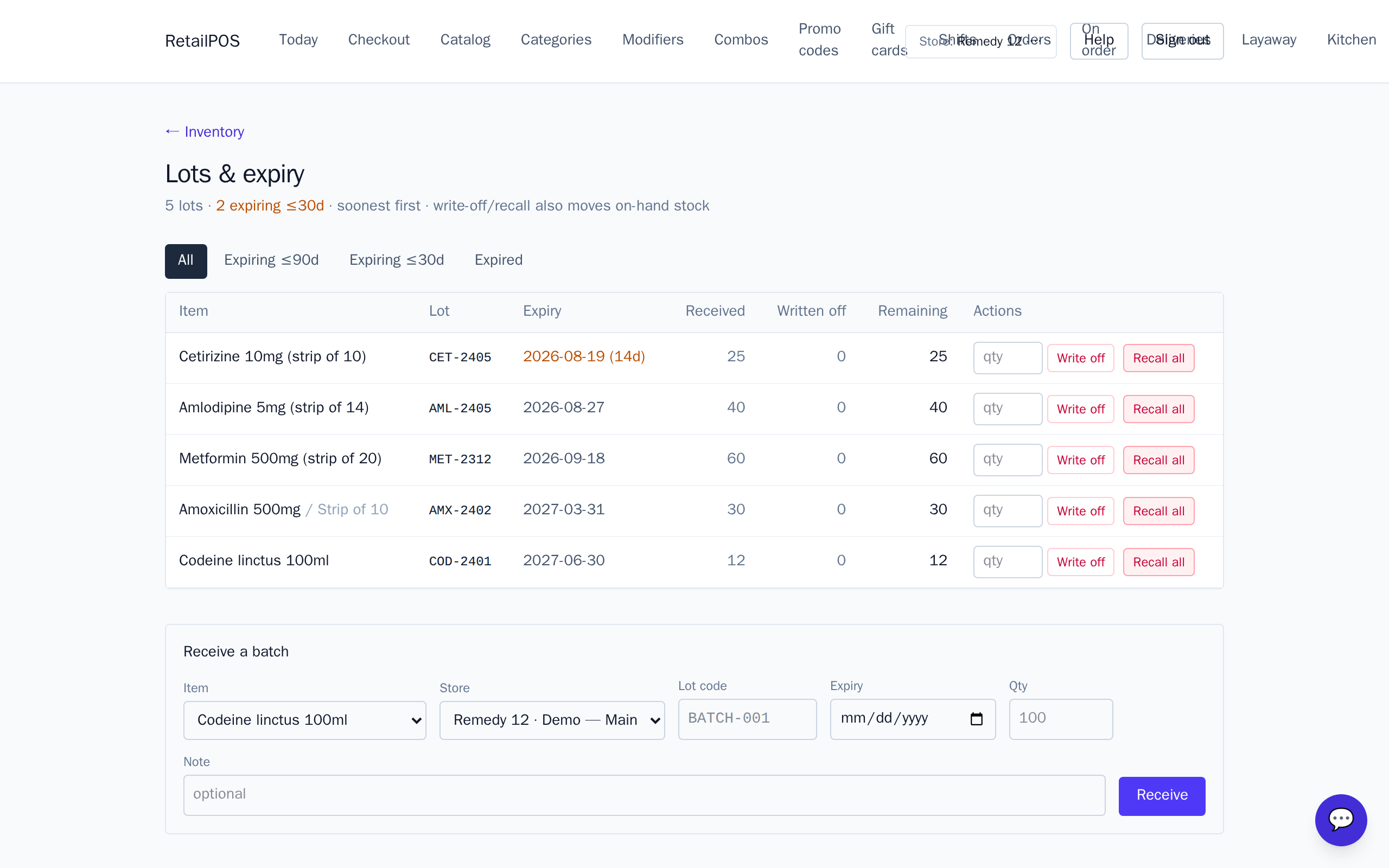
Receive stock as lots
When you receive medicine, record it as a lot with its batch number and expiry date. The same product can have several lots on hand at once, each with its own expiry — that’s the whole point.
The expiry dashboard
Open Expiry(Inventory → lots) to see what’s expiring and when. Work the near-expiry list to pull or discount stock before it’s dead, instead of finding out at the counter.
FEFO at dispensing
When you dispense or sell, RetailPOS draws down the earliest-expiring lot first. You don’t have to pick batches by hand — the system enforces FEFO so old stock never gets stranded behind new.
Frequently asked
- What does FEFO mean?
- First-Expiry, First-Out: the batch that expires soonest is sold or dispensed first, so nothing goes out of date on the shelf.
- Can I hold several batches of one drug?
- Yes. Each lot carries its own batch number and expiry; RetailPOS orders them by expiry automatically.
Put it into practice.
Open your shop and try it live. Free until your first 100 sales — no card, keep your hardware.