Prescriptions: dispense and pharmacist verification
For Pharmacists & dispensers · 7 min read · Last reviewed 2026-08-04
Prescription-only medicines move through a controlled workflow, not a normal sale: record the prescription → dispense against it → a pharmacist verifies → hand it to the patient. RetailPOS keeps each step, and the pharmacist check, on record.
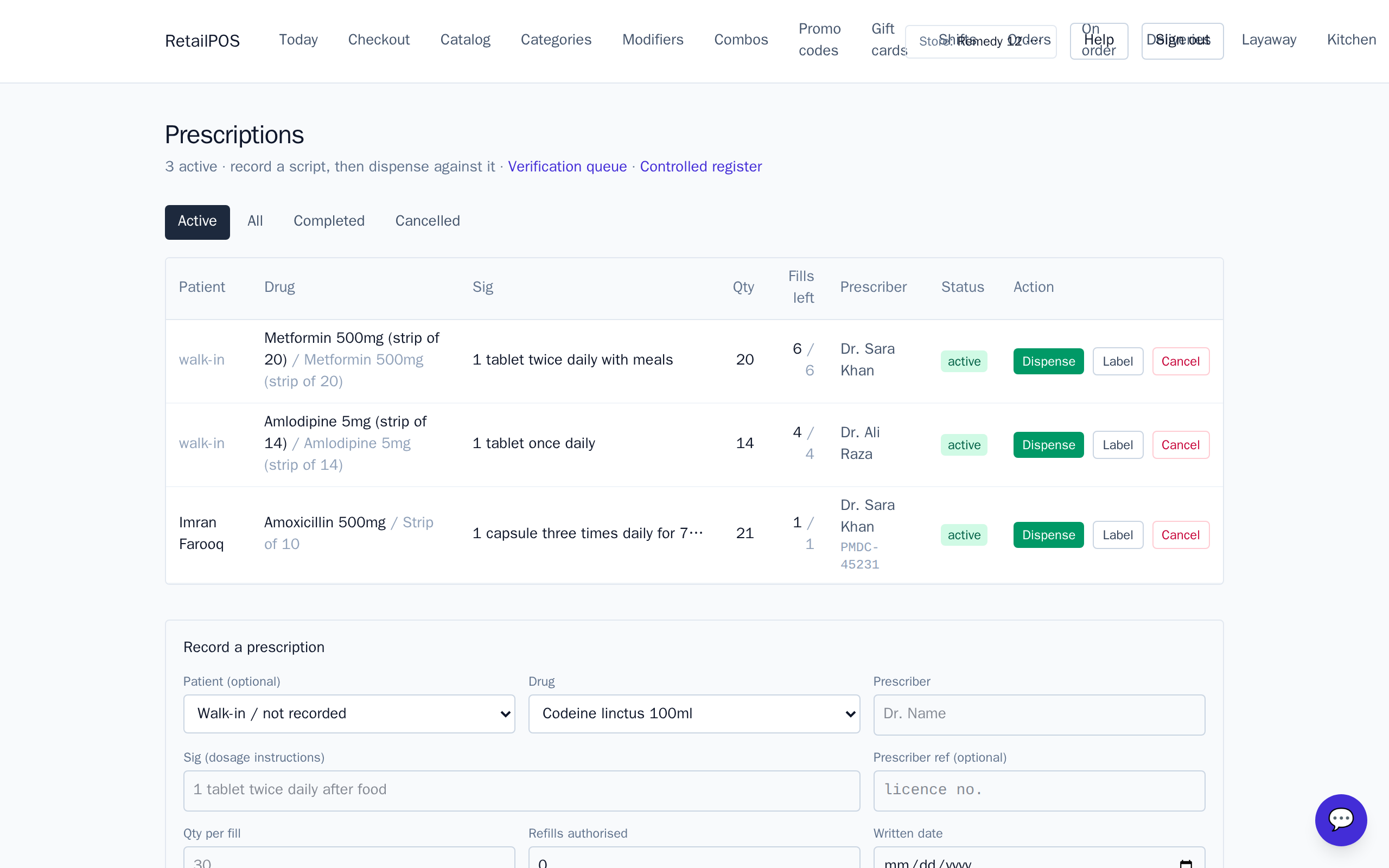
Record the prescription
Open Rx and record the prescription — patient, prescriber, drug, strength, quantity and directions. This is the authority the dispense is checked against.
Dispense and label
- Dispense against the prescription. Stock is drawn FEFO, from the earliest-expiring lot.
- Print the dispensing label with the directions for the patient.
Pharmacist verification
Before hand-out, a pharmacist verifies the dispensed item against the prescription — the right drug, strength and quantity. The verification queue makes sure nothing reaches a patient without that final check.
Frequently asked
- Can a prescription item be sold without an Rx?
- No. Products classified prescription-only require a linked prescription; the register blocks a bare sale.
- Who can verify?
- Verification is role-gated to your pharmacist, so the final check is done by someone qualified.
Put it into practice.
Open your shop and try it live. Free until your first 100 sales — no card, keep your hardware.