Barcodes and fast checkout
For Shop owners & cashiers · 5 min read · Last reviewed 2026-08-04
Convenience is a volume game: the faster each sale closes, the shorter the morning queue. The quickest till is one where every item scans — the barcode drops it into the cart and you move on. Name and SKU search cover the times a barcode is missing or scuffed.
Get your barcodes onto your items once, and checkout becomes scan, scan, take payment.
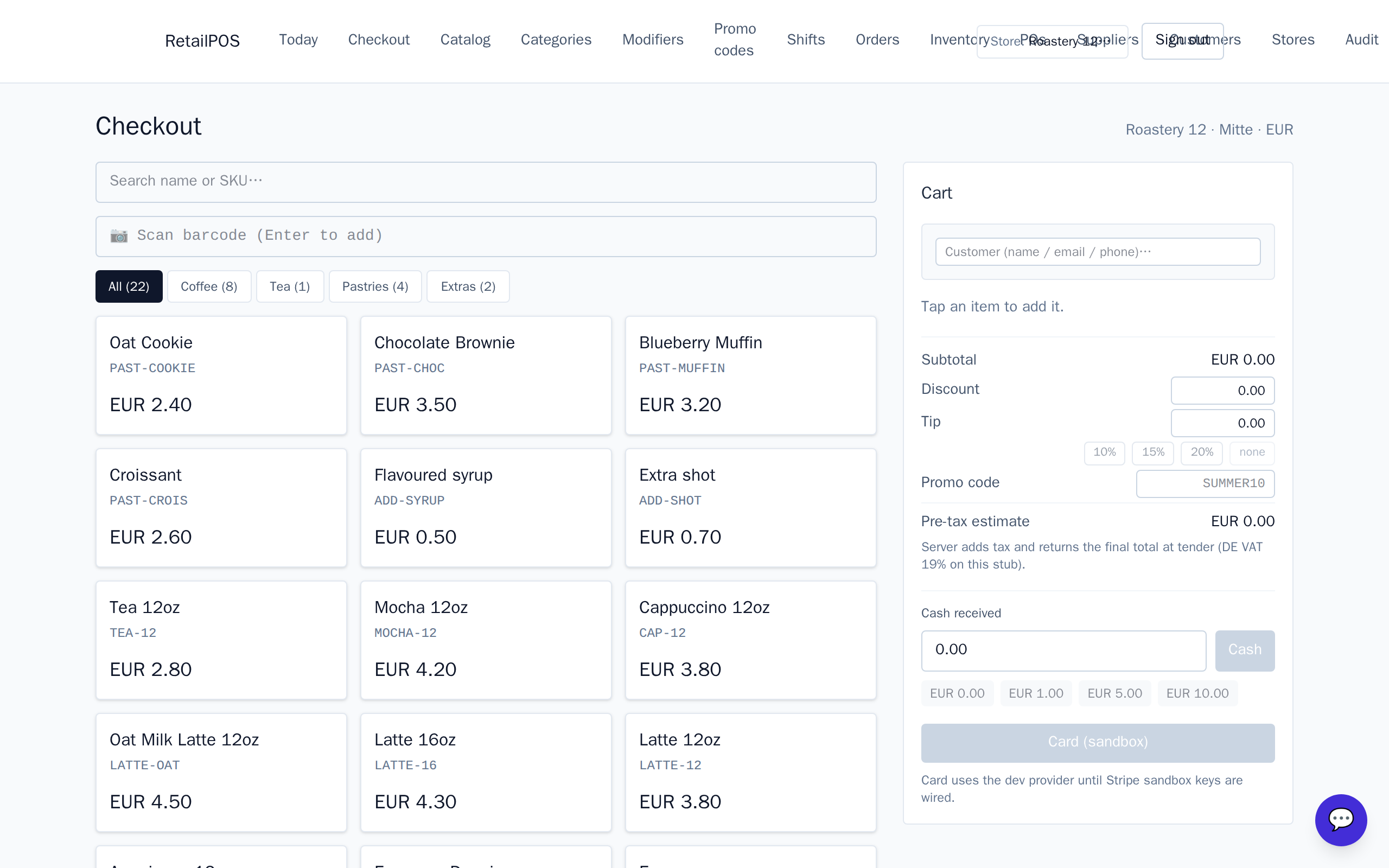
Put a barcode on each item
- Open an item in the Catalog.
- Enter its barcode (the UPC/EAN printed on the packaging).
- Save. From now on, scanning that code adds the item to the cart.
Scan straight to the cart
At the register, scanning a barcode looks the item up and adds it in one motion. Scan the next, and the next; the cart builds as fast as you can pass items over the counter. Then take cash or card and close the sale.
When an item won’t scan
If a barcode is missing or damaged, type part of the name or the SKUinto the search field and pick the item from the results. Your shop’s SKU and the manufacturer’s barcode are both searchable, so there’s always a fast way to find an item.
Frequently asked
- Do I need a special scanner?
- No. Any standard USB or Bluetooth barcode scanner works — it behaves like a keyboard, scanning the code into the search field.
- What if two items share a look but differ in price?
- Give each its own barcode and price. The scan resolves to the exact item, so the right price rings every time.
Put it into practice.
Open your shop and try it live. Free until your first 100 sales — no card, keep your hardware.