Install a vertical pack to seed your shop
For Owners & managers · 4 min read · Last reviewed 2026-08-04
A vertical pack is a one-click starting point tailored to your trade. It seeds a starter catalog, categories and modifiers, and switches on the settings that trade expects — recipe inventory for a café, FEFO expiry for a pharmacy, per-stylist commission for a salon.
Packs are a head start, not a cage: everything they create is normal catalog you can edit, rename or delete afterwards.
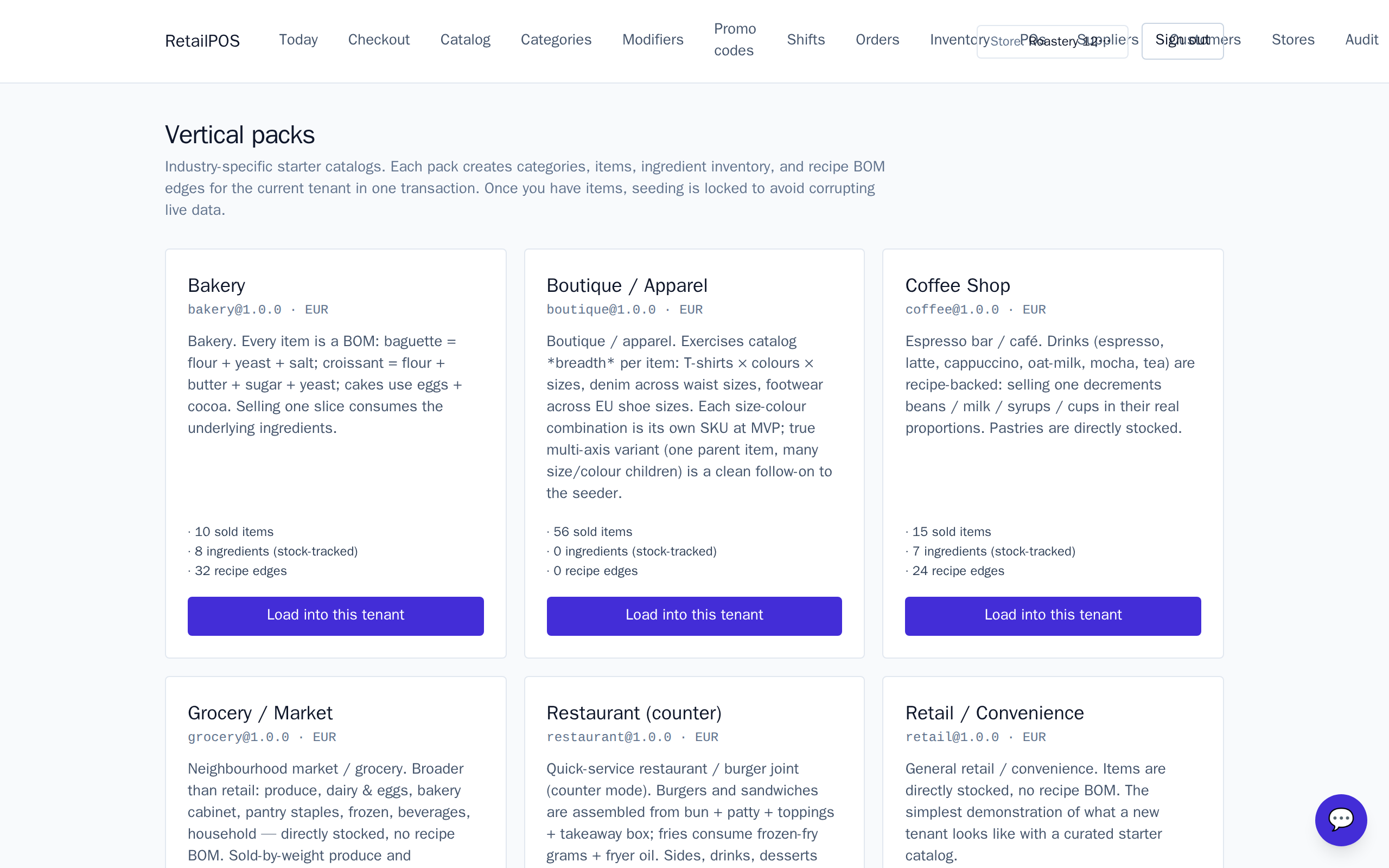
Install a pack
- Open Vertical packs in the back-office nav.
- Pick the pack that matches your shop. Every shipped vertical has one — from coffee to furniture to pharmacy.
- Confirm. The pack seeds its catalog and applies its settings to the active store.
What a pack turns on
Packs differ, but most set some of:
- A starter catalog with realistic categories and a few sample items.
- Modifiers — milk options for coffee, cooking temperature for a restaurant.
- Trade settings — recipe/BOM inventory, sold-by-weight, service-type tax, expiry tracking, and so on.
The per-trade detail lives in that vertical’s own help section — e.g. Coffee, Restaurant or Pharmacy.
After installing
Rename the sample items to your real menu, set your prices, and add your opening stock under Inventory. Then you’re ready to ring your first sale.
Frequently asked
- Can I install more than one pack?
- You can, but packs are designed one-per-store. Mixing packs mixes their catalogs — start clean if you switch trades.
- Will a pack overwrite my catalog?
- No. Packs only add items and settings; they never delete what you already created. Install on a fresh store to avoid a mixed catalog.
Put it into practice.
Open your shop and try it live. Free until your first 100 sales — no card, keep your hardware.